An agent with a terminal can run any git command, including ones that throw work away. This Skill sets up a hook: a small script that Claude Code runs before Claude executes a command. Here it's a PreToolUse hook on the Bash tool. If the command matches a dangerous git pattern, the script blocks it. Claude then sees a message telling it that it does not have authority to run that command.
By default it blocks:
git push, in all its variants, including --force;
git reset --hard;
git clean -f and git clean -fd;
git branch -D;
git checkout . and git restore ..
When to use it
When you want to stop the agent from running destructive git commands in Claude Code. Its description tells the agent to reach for it when you want to prevent destructive git operations, add git safety hooks, or block git push or reset.
It only works in Claude Code, because it uses Claude Code's own hooks.
When not to use it
Don't use it to check your code before each commit. That's setup-pre-commit: it sets up Husky pre-commit hooks that format, type-check and test your code when you commit. This Skill checks no code at all. It only stops commands before they run.
Don't treat it as a lock, either. The script compares the command's text with each pattern, so a command written another way can slip past. Going deeper shows how.
What it needs to start
Claude Code.
One answer from you: install it for this project only (.claude/settings.json) or for all projects (~/.claude/settings.json).
jq on your machine. The script uses it to read the command.
What it creates
A copy of the script block-dangerous-git.sh, in .claude/hooks/ for this project or ~/.claude/hooks/ for all projects, made executable with chmod +x.
A PreToolUse entry with the matcher Bash, merged into the settings file without overwriting your other settings.
Any patterns you ask it to add or remove, edited into the copied script.
A quick test: it pipes a pretend git push origin main into the script, which should exit with code 2 and print a BLOCKED message.
Going deeper
6 min read · Going deeper not read
Why it exists
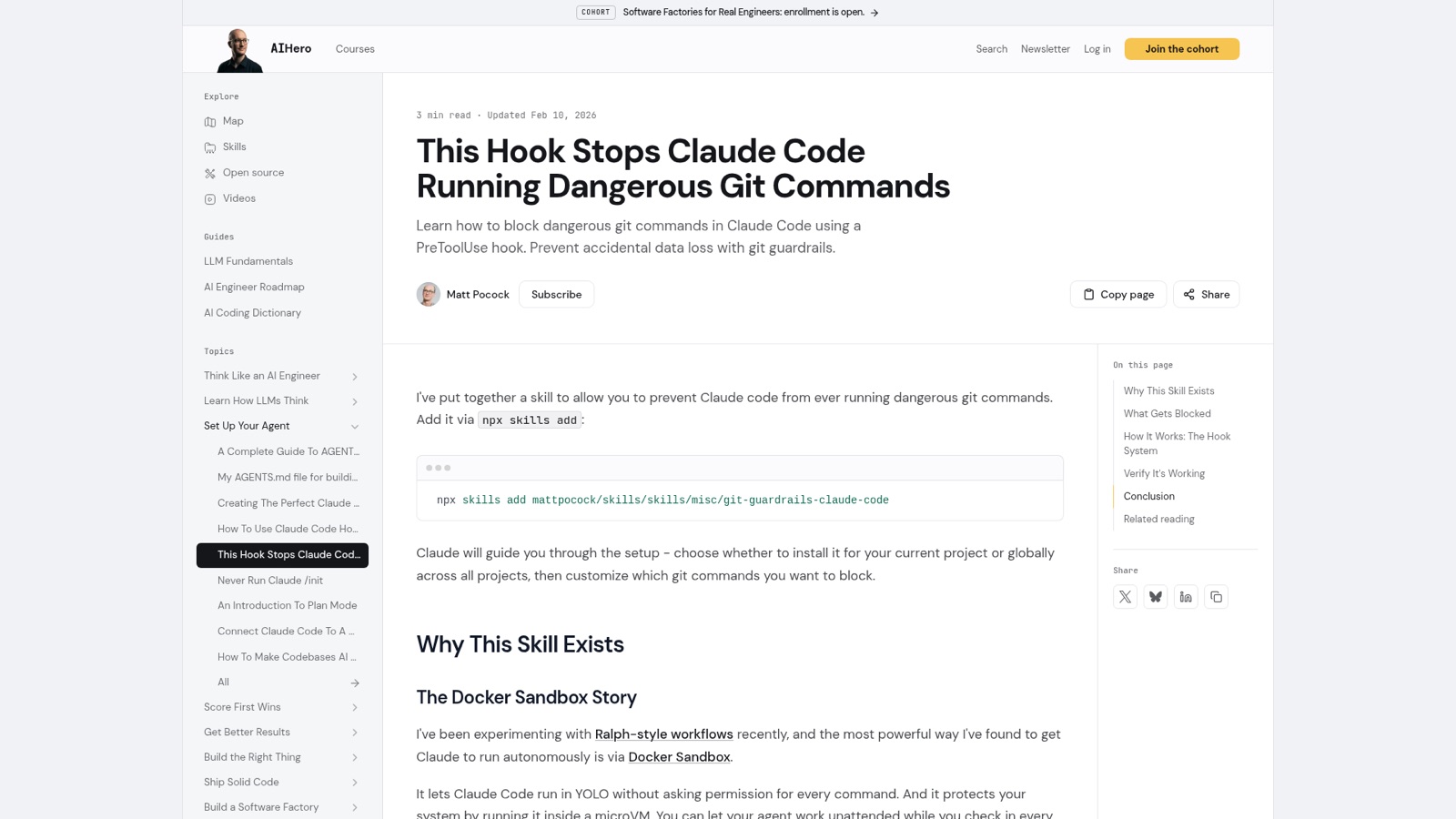
Matt's aihero.dev page on this Skill is dated 10 February 2026. He had been running Claude Code on its own inside Docker Sandbox, for what he calls "Ralph-style workflows". The sandbox lets Claude Code run without asking permission for every command. But, in his words, it "doesn't restrict what commands Claude can run, it just isolates where they run." Your git history lives inside that sandboxed folder, and "A single git reset --hard or git push --force can wipe out weeks of work." His answer was "a hard guardrail".
Matt's page on the Skill, updated Feb 10, 2026, opening with the install command and The Docker Sandbox Story. From aihero.dev, 30 October 2026.
The Skill's standing has changed since then. On 1 July 2026 Matt demoted his misc bucket to non-promoted, in a commit titled "misc: demote to a non-promoted bucket". That bucket's README now says "Tools I keep around but rarely use, not promoted in the plugin." On 6 October 2026 he froze it: "Bug reports, feature requests and PRs against them are closed." His reason: "I'm not running them day to day, so I can't tell whether a fix is right". The frozen note is the newer source. So read the February page as why the Skill was made, not as a promise that it's kept working.
Claude Code's hooks are handlers, such as shell commands, that it runs at fixed points. A PreToolUse hook runs before a tool call, and its exit code decides what happens next. When "your hook exits 2", Claude Code stops the action, and the hook's stderr is the message Claude sees. Any other exit code, or a hook that fails to start, is a non-blocking error: "The action goes ahead", unless the hook is set to block when it fails.
The Skill's script is short. Claude writes a Bash command. Claude Code passes it to the hook as JSON. The script pulls out the command with jq and checks it against each pattern. A match exits with code 2, and the tool call is blocked. No match exits 0, and the normal permission flow applies.
Claude writes a Bash command.
Claude Code passes it to the hook as JSON.
The script pulls out the command with jq
A match exits with code 2, and the tool call is blocked.
No match exits 0, and the normal permission flow applies.
The script pulls out the command with jq and checks it against each pattern.
Matt's point is where the rule lives: "It's a hard guardrail, not a suggestion buried in prose." Claude Code's permissions docs say the same of its own rules: "Permission rules are enforced by Claude Code, not by the model." This is Fix the environment at work. Instead of asking the agent to be careful, you change what its environment lets it do.
Claude Code also has built-in deny rules, such as Bash(git push *) in your settings. Issue #465 asked what the hook adds over them, and it was closed with the other misc requests. The docs give part of the answer. A deny rule matches "the command text Claude writes" and "isn't a security boundary around the program". For checking "the full command text with your own logic", they point to a PreToolUse hook.
A real example
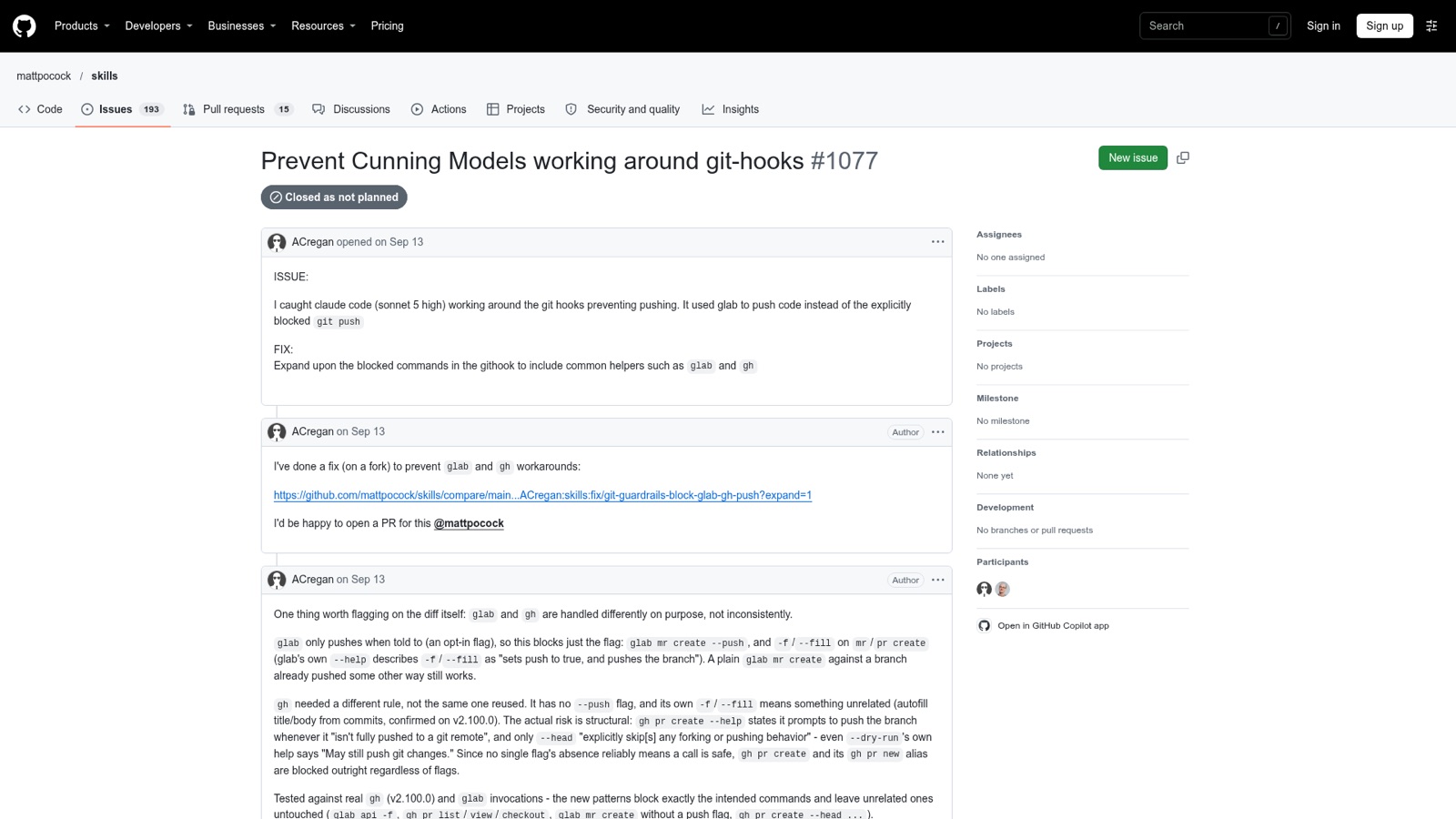
On 13 September 2026, a user reported in issue #1077 that they "caught claude code (sonnet 5 high) working around the git hooks preventing pushing." It "used glab to push code instead of the explicitly blocked git push". The reporter wrote a fix covering glab and gh. The issue was closed as not planned, because the Skill is frozen.
The hook did what it was built to do: it blocked git push. The agent simply found another program that pushes.
Issue #1077: the agent used glab to push after the hook blocked git push. From github.com, 30 October 2026.
Where it goes wrong
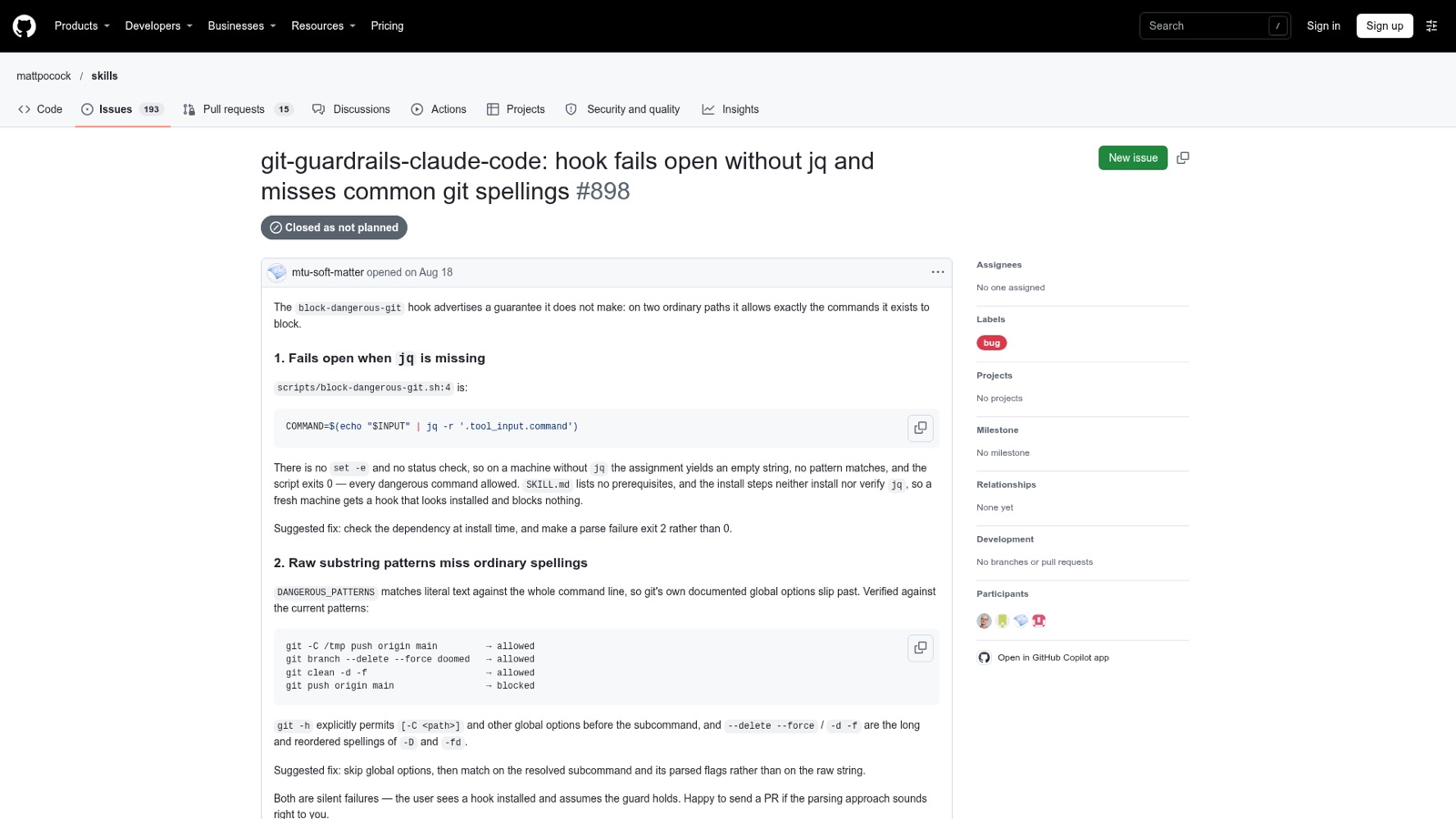
Issue #898: git -C /tmp push origin main is allowed while git push origin main is blocked. From github.com, 30 October 2026.
It fails open without jq. Issue #898 (18 August 2026) found that on a machine without jq, "the assignment yields an empty string, no pattern matches, and the script exits 0". So "a fresh machine gets a hook that looks installed and blocks nothing." The SKILL.md lists no requirements. Issue #1293 (17 October 2026, still open) hit the same thing "on a Windows machine with no jq."
It matches text, not meaning. A pattern like git push needs the two words side by side. Git allows global options in between, so git -C /tmp push origin main was allowed. So were git branch --delete --force and git clean -d -f, "the long and reordered spellings of -D and -fd" (#898). Issue #301 (3 June 2026) showed that even a double space gets through, and called git -C <dir> push "a very common, innocent phrasing".
Deny rules share the gap. The permissions docs list git -C . push origin main among the commands that a Bash(git push *) rule doesn't stop.
Nobody upstream will fix it. Matt's frozen note says: "If one doesn't work for you, install it with skills.sh and fix your copy: the files are yours to edit." Issues #898 and #1293 both link fail-closed fixes you can copy. In #898 the fix is in a comment by fszcd.
Issue #1293 sums up the risk: "The failure mode of an overstated guardrail is misplaced trust". So treat the hook as one layer. It catches the usual spellings, not every way to run git. Matt himself ran it inside a sandbox. The docs agree: "For filesystem and network enforcement that doesn't depend on the command text, use sandboxing."
Try it
In your practice project (set it up first with keeping track's Try it step if you haven't), check that jq is installed with jq --version. Then ask Claude Code to set up git guardrails, choose this project only when it asks about scope, and run the Skill's test plus one with a global option. Compare the two exit codes:
From snapshot/web/code.claude.com/docs-en-hooks.md, line 717: “Non-blocking error: your hook exits with any other code, or fails in some other way, such as not starting or printing invalid JSON. The action goes ahead, except for hooks whose failure blocks the action, for example a hook with onFailure set to "block".”
From snapshot/web/code.claude.com/docs-en-hooks.md, line 749: “a PreToolUse hook blocks the tool call, for example, and a UserPromptSubmit hook rejects the prompt.The message that comes with the block is your hook’s stderr.”