A Skill is a named set of instructions an agent loads to do one kind of job, like /to-spec.
A Flow is a path through the Skills, like the main flow from idea to shipped code.
A Spec describes one whole feature: the problem and the planned solution.
A Ticket is one thin slice of a Spec, small enough to build in one fresh session.
Both are Issues in an Issue tracker: the shared list where work is written down and marked done.
First, setup-matt-pocock-skills asks which tracker your repo uses and records it in docs/agents/issue-tracker.md. to-tickets and to-spec read it to know where to write.
Where Specs and Tickets live
On GitHub. Each Spec and Ticket is an Issue in the repo's GitHub Issues. The Skills reach them with gh, GitHub's command-line tool. Three GitHub features keep the work in order:
Labels are tags on an Issue. ready-for-agent means the Issue is fully specified, so an agent can pick it up alone.
Sub-issues hang one Issue under another. When to-tickets splits an existing Spec, each Ticket becomes its sub-issue, so you can see its Spec.
Blocked-by links say which Tickets must be finished first. GitHub marks a blocked Issue with a "Blocked" icon.
In local files. With the local tracker, Issues are Markdown files under .scratch/. Each feature gets a folder, like .scratch/booking-api/. The Spec is spec.md in that folder. Each Ticket is its own numbered file in issues/, like issues/01-bookings-table.md, and its "Blocked by" line lists the Tickets that come first.
What the other files hold
docs/agents/ holds the settings the Skills read: where the Issue tracker is (issue-tracker.md), what the labels are called (triage-labels.md), and where the domain docs live (domain.md).
GLOSSARY.md holds the project's words: each term, what it means, and the words to avoid. Skills write Issue titles in these terms.
docs/adr/ holds ADRs (architecture decision records): one short, numbered file per decision, saying what was decided and why.
A new repo may lack the last two. They're written as words and decisions get settled.
What's done, and what's next
On GitHub, done means closed. A finished Ticket's Issue is closed.
Next is any open Ticket whose blockers are all closed. Skills call this set the frontier: the Tickets you can start right now.
Say your FastAPI Spec, "Booking API", has two Tickets. #12 adds the bookings table. #13 adds the endpoint that creates a booking, and it's blocked by #12. While #12 is open, only #12 is on the frontier. Close #12, and #13 is next.
Booking APIIts sub-issues show which Tickets are closed
#12 adds the bookings tabledone means closed (closed)
#13 adds the endpoint that creates a bookingthe frontier is where to go next (frontier)blocked by #12 adds the bookings table
Close #12, and #13 is next.
When you're lost, open the Spec. Its sub-issues show which Tickets are closed, and the frontier is where to go next.
Going deeper
6 min read · Going deeper not read
Why it exists
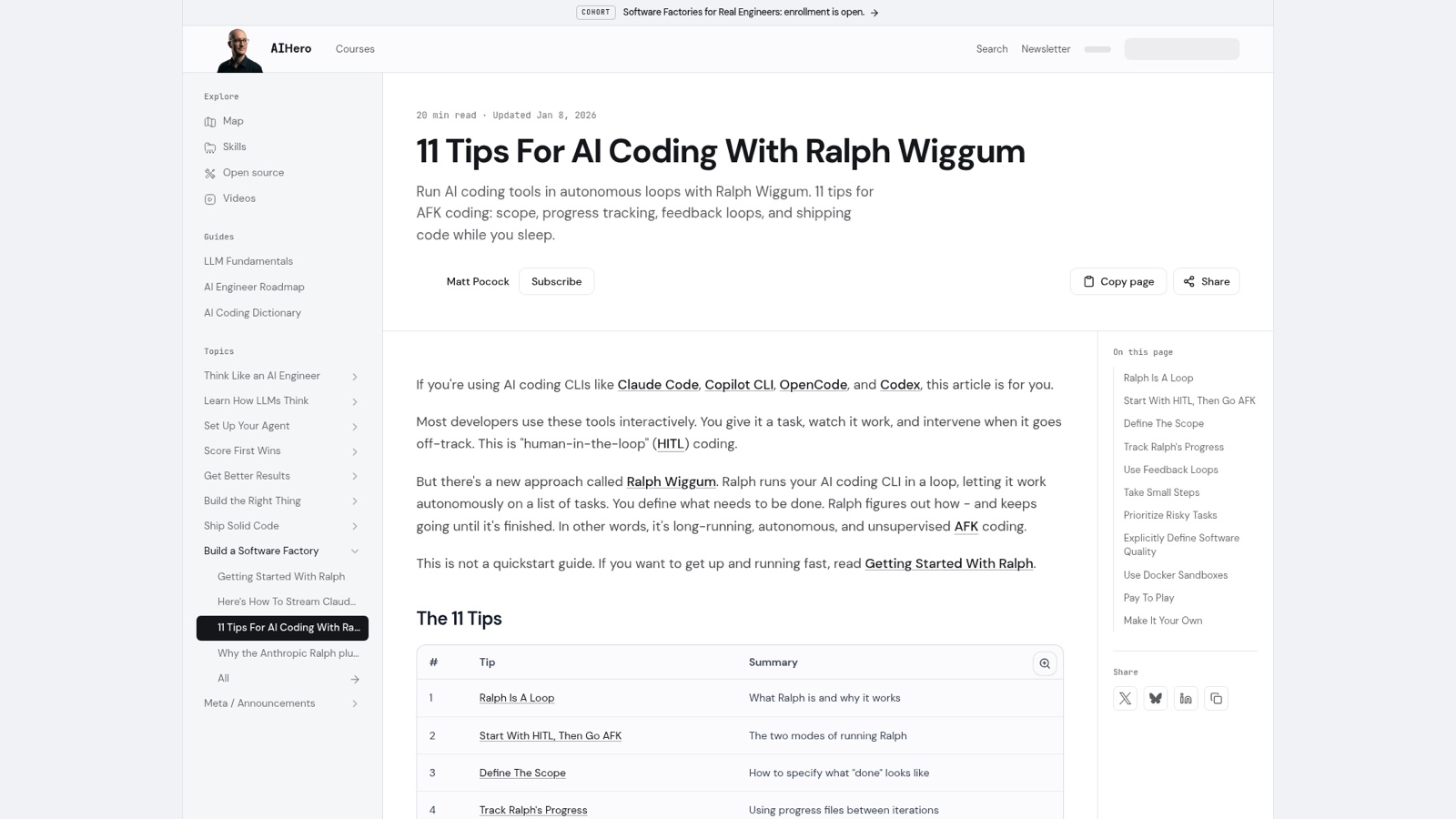
An agent forgets. In his tips for running agents in a loop (updated 2026-01-08), Matt put it this way: "AI agents are like super-smart experts who forget everything between tasks. Each new context window starts fresh."
Matt's Ralph Wiggum tips (updated Jan 8, 2026): tip 4 tracks progress in files between iterations. From aihero.dev, 30 October 2026.
So the list of what's planned and what's done can't live in the agent's head. It has to live somewhere the next session can read. In the same post Matt lists GitHub Issues as one place the list can live, and says what stays the same: "the agent chooses the task, not you. You're just changing where that list lives."
He said it again in a Pragmatic Engineer podcast episode published on 2026-09-17. A human develops a memory of a messy codebase, "but an agent can't do that; it starts afresh every single session."
So the Skills keep Specs and Tickets in an Issue tracker. Matt's page for setup-matt-pocock-skills (updated 2026-08-24) says to run it "once per repo, before the first use of any other engineering skill", so that the other Skills don't start "guessing where your issues go".
Engineers on shifts. Matt says he took his progress-file habit from Anthropic's article on long-running agents. That post, from 2025-11-26, asks you to "Imagine a software project staffed by engineers working in shifts, where each new engineer arrives with no memory of what happened on the previous shift." Their fix was a few plain files: a progress file "alongside the git history", and a list of features, each marked passing or failing.
They kept that list in JSON, not Markdown, because "the model is less likely to inappropriately change or overwrite JSON files compared to Markdown files." Agents were told to change only each feature's "passes" field.
The order falls out of the links. Matt's AI Coding Dictionary entry for Ticket says Tickets "can block or be blocked by sibling tickets, so the order of work falls out of their dependency graph rather than a linear plan." You don't write a to-do order. You write the blocked-by links, and the frontier is worked out from them.
The links also allow parallel work. The same entry goes on: "The dependency graph is also what unlocks parallelism. Independent tickets — the leaves of the graph — can each run in their own session at the same time." Matt's to-tickets page (updated 2026-08-24) says the tracker "only decides whether anything can act on them in parallel". It lists local Markdown files as worked "Top to bottom, by hand". The to-tickets SKILL.md at the Course's pin commit (2026-10-29) is newer, and it sets one rule for both trackers: "Work the frontier: any ticket whose blockers are all done. For a purely linear chain that means top to bottom." The newer SKILL.md decides, so local files have a frontier too.
A real example
In his tutorial from 2026-07-16, Matt opens a Spec he had implemented a couple of days before, to remove a bunch of things from a repo. "And you can see that this is the spec and underneath it has 11 sub issues." Each one was "a single context window session".
The Tickets were short. Matt clicks into one: "we can see it's just pretty short." Most of the acceptance criteria stayed in the Spec, so each Ticket only had to say what to build in that one session.
Where it goes wrong
Nobody closes the Ticket. Done means closed, but the Skill that does the work has no step that closes it. Matt's to-tickets page says implement "does not reliably close or check off the ticket when it finishes". implement's SKILL.md, at the Course's pin commit (2026-10-29), stops at its last step: "Commit your work to the current branch."
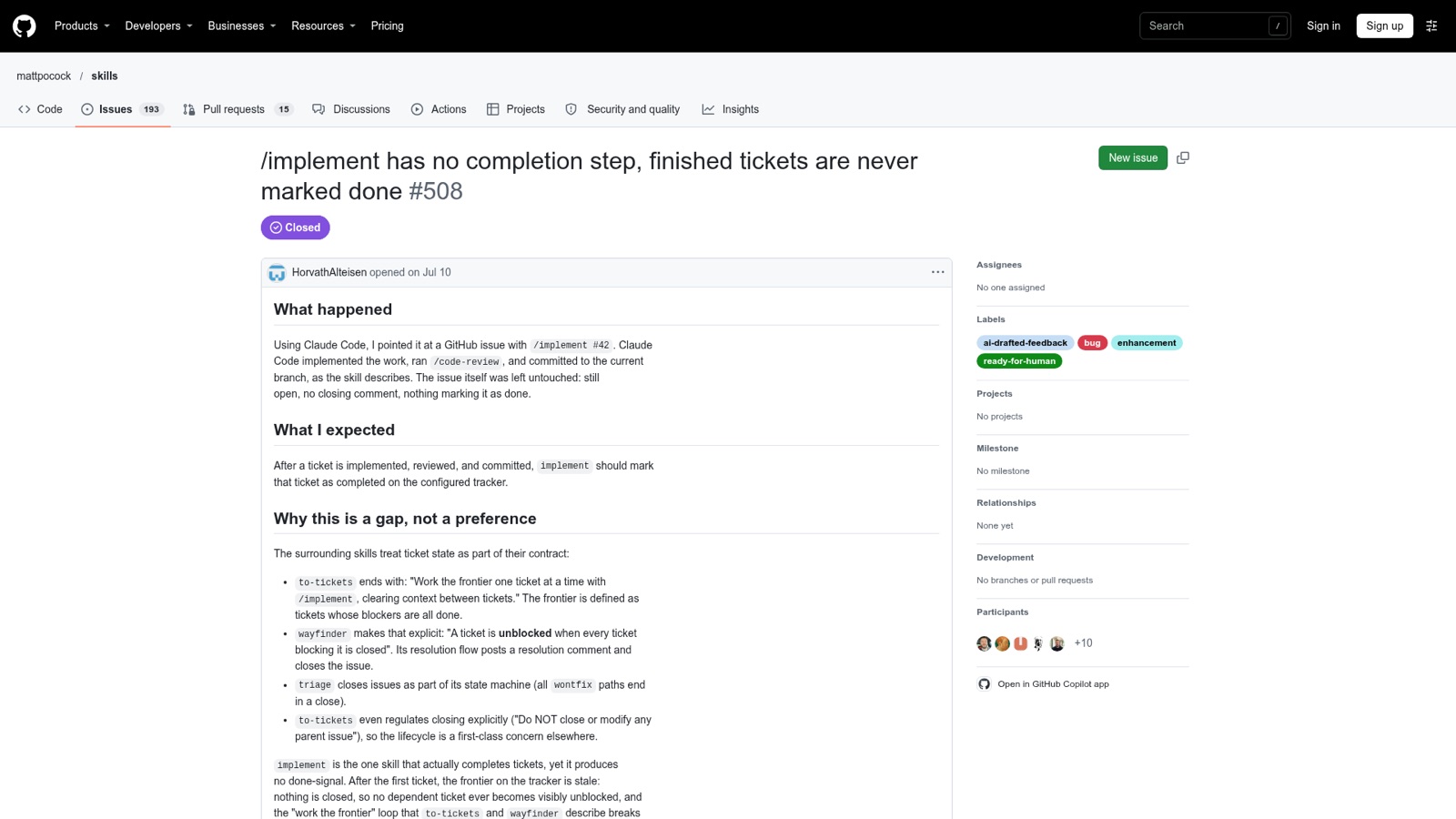
Issue #508, opened on 2026-07-10 (its body drafted by the reporter's agent), reports what follows. After /implement #42, "The issue itself was left untouched: still open, no closing comment, nothing marking it as done." So "the frontier on the tracker is stale: nothing is closed, so no dependent ticket ever becomes visibly unblocked".
Issue #508, opened Jul 10: implement finished a ticket and left it open, nothing marking it done. From github.com, 30 October 2026.
Commit your work to the current branch.
still open, no closing comment, nothing marking it as done
no dependent ticket ever becomes visibly unblocked
the frontier on the tracker is stale
Matt answered on 2026-10-24 and closed the issue: "I just use pull requests which close the issue when merged, so this is never a problem for me." He added: "editing the skills is very much recommended if you want this kind of behavior." So on GitHub, closing the Ticket is what moves the frontier. Matt does it with a pull request that closes it when merged. With local files, you mark it done yourself.
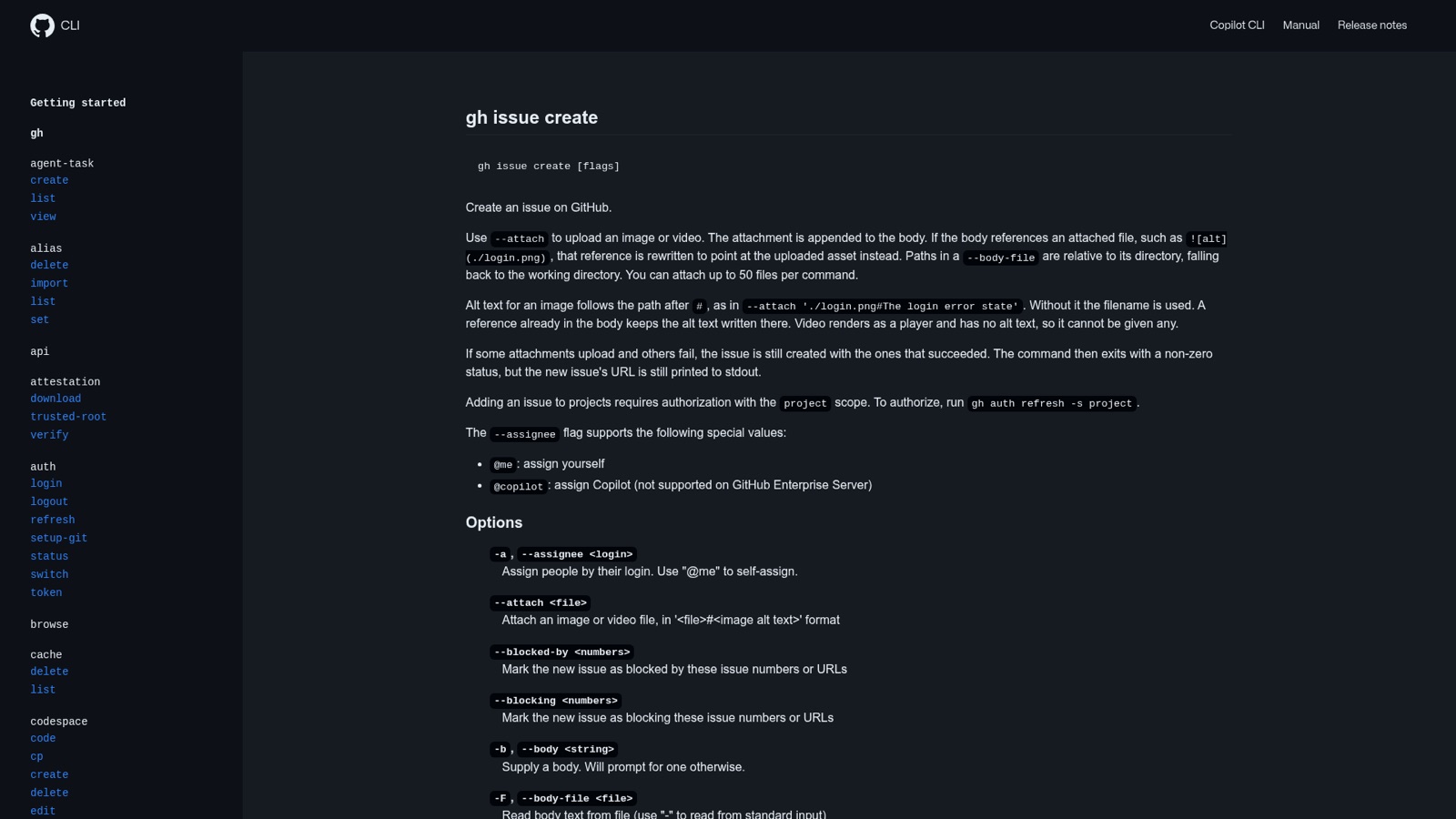
Blocked-by written as plain text. In issue #513, opened on 2026-07-10, to-tickets wrote Blocked by: #346 into the Issue's body instead of making a real link. The agent then claimed GitHub "has no native first-class blocking relationship in its standard API". That's wrong. The tracker file setup-matt-pocock-skills writes now names the flags, for gh 2.94 and later: "gh issue create --blocked-by <n>,<n> ...". A text line is only the fallback "Where dependencies aren't available".
The gh issue create manual: --blocked-by and --blocking add blocking links as you create an issue. From cli.github.com, 30 October 2026.
Counting closed blockers as open. The same file warns that "gh issue view <n> --json blockedBy also lists closed blockers", so a script that just counts them never sees a Ticket become free. It gives a command that counts open blockers only, where "0 means startable".
Filing into the wrong repo. "In a fork, gh can default to the upstream parent". So before the first new Issue of a session, the file says to check the target with gh repo view --json nameWithOwner.
Try it
This step creates your practice project, the yoga-studio booking site. Every later Try it step builds on it.
Create and clone the repo: gh repo create yoga-studio --private --clone. Then cd yoga-studio. Add a README.md with the plan: api/ for a FastAPI backend with Postgres in Docker, web/ for a small TypeScript site with Vercel previews of each pull request. Commit and push.
If Matt's Skills aren't installed in your agent yet, install them first. Then, inside the repo, run /setup-matt-pocock-skills and pick GitHub. It records the choice in docs/agents/issue-tracker.md. Open that file and find the "Blocking" and "Count open blockers" lines.
Check the target: gh repo view --json nameWithOwner should print your own repo.
Make the Spec and two Tickets. Check gh --version is 2.94 or later.
gh issue create --title "Booking API" --body "Members can book a class."
gh issue create --title "Add the bookings table" --body "First slice." --parent 1
gh issue create --title "Add the endpoint that creates a booking" --body "Second slice." --parent 1 --blocked-by 2
Open #1 on GitHub. You should see two sub-issues, and #3 marked blocked.
Close #2 with a comment, then ask how many open blockers #3 has: gh api repos/<you>/yoga-studio/issues/3 --jq .issue_dependencies_summary.blocked_by. It should print 0. #3 is now on the frontier.